
Seedance 2.0 Fast workspace
Seedance 2.0 Fast for short video prompt testing
Create 4 to 15 second videos at 480p or 720p, with a credit estimate before generation.
Keep each prompt test easy to compare
A short Fast request can check a camera move, a pacing beat, or a prompt revision. Change one part of the brief at a time so the next result answers a clear question.
The page does not make a generation-time promise. Processing depends on the request and the provider queue.
A focused Fast pass
Keep the model consistent while you adjust the prompt and output settings.
- 01
Write the test question
Decide whether the next clip is testing action, framing, timing, or a reference choice.
- 02
Set a short clip
Choose 480p or 720p and a duration that leaves the action readable.
- 03
Compare the next change
Keep the parts that worked, then revise one instruction for the next request.
Video settings
Choose the model, output size, duration, references, and format for your video.
| Setting | Available options | Notes |
|---|---|---|
| Model | doubao-seedance-2-0-fast-260128 | The model selector is fixed to this ID on this page. |
| Resolution | 480p / 720p | 1080p and 4K are not available for Fast. |
| Clip duration | Up to 15 seconds | 15 seconds is the longest manual duration the Fast workbench accepts. |
| Reference images | Up to 9 images | A first-frame request needs exactly one image. A first-and-last-frame request needs exactly two. |
| Reference video and audio | Up to 3 videos and 3 audio files | An audio reference also needs at least one image or video reference for Seedance 2.0. |
| Frame references | One first frame or a first-and-last pair | Frame references cannot be combined with video or audio references. |
| Output format | MP4 | Fast returns MP4 output. |
| Credit estimate | Shown before generation | The estimate uses the selected settings. Tasks with video input receive a server quote, and final credits settle from completion usage. |
Choose between Fast, Standard, and Mini
Start with the delivery requirement. The interface does not publish a reliable timing comparison between these models.
Stay on Fast
Use Fast to compare short prompt directions at 480p or 720p while the scene, action, or framing is still being decided.
Return to the Fast workbenchSwitch to Standard
Use Seedance 2.0 Standard when the delivery needs 1080p or 4K output. Those resolutions are available in the Standard model selector, not in Fast.
Open the Standard workspaceUse Mini for lightweight drafts
Use Mini when a lightweight 480p or 720p draft is enough for the question in front of you.
Open the Mini workspaceWhat to review before publishing
A completed task still needs a full review. Watch the clip before relying on it in a published edit.
Occlusion
When subjects cross in front of one another, continuity can break around the overlap.
Fast interactions
Hands, objects, and several moving subjects need scene-by-scene review when the action is quick.
Physical cause and effect
Motion, contact, and materials can look inconsistent from one part of a clip to the next.
Generated lettering
Small text and symbols can change between frames. Add final readable copy in an editor after review.
Fast examples
Try these examples to explore short video ideas.
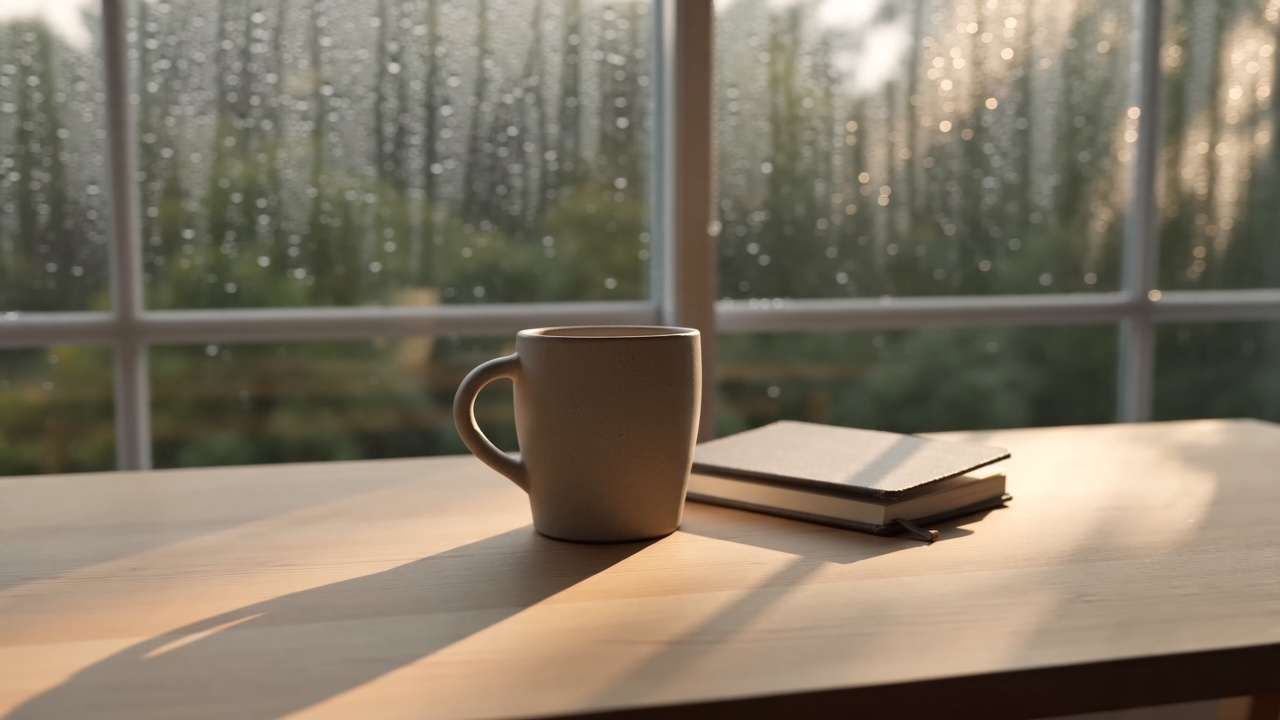
Rainy-window pan
Prompt
A quiet studio table beside a rain-speckled window. A ceramic cup and a folded sketchbook sit in warm afternoon light. The camera makes one slow left-to-right pan, keeping the cup in focus. Natural motion, no people, no logos, no readable text, no subtitles.
- Model
- Fast
- Mode
- Text to video
- Ratio
- 16:9
- Duration
- 5s
- Resolution
- 720p

Flower-market pass
Prompt
Vertical street scene at an open-air flower market in early morning. A bicycle passes through the frame while paper wrapping moves in a light breeze. Handheld phone-camera framing with one short forward step. No logos, no readable signs, no subtitles.
- Model
- Fast
- Mode
- Text to video
- Ratio
- 9:16
- Duration
- 5s
- Resolution
- 720p
Dynamic credit estimate
The credit estimate changes with the model, duration, resolution, aspect ratio, and video input. Review the estimate before generating.
Review credit pricingQuestions about this workspace
Which resolutions does Seedance 2.0 Fast support here?
The Fast workbench offers 480p and 720p. Choose Seedance 2.0 Standard in the main workspace when you need its 1080p or 4K settings.
How long can a Fast clip be?
Fast accepts manual clip durations from 4 to 15 seconds. This page does not promise how long a request will take to process.
How many reference materials can I add?
A normal reference request can include up to 9 images, 3 videos, and 3 audio files. Audio needs an accompanying image or video. First-frame mode requires one image; first-and-last-frame mode requires two images and cannot be mixed with video or audio references.
When should I choose Fast instead of Standard or Mini?
Choose Standard for 1080p or 4K. When 480p or 720p is enough, compare Fast and Mini using the current credit estimate and published examples.
Is this an official ByteDance or Seedance page?
No. SeeVideo is an independent third-party service. Seedance is used here to identify the connected model and does not imply affiliation or endorsement by ByteDance, Seed, Dreamina, or CapCut.
Model documentation
Read the official documentation for background on Seedance 2.0.
Read the Volcengine Seedance documentation